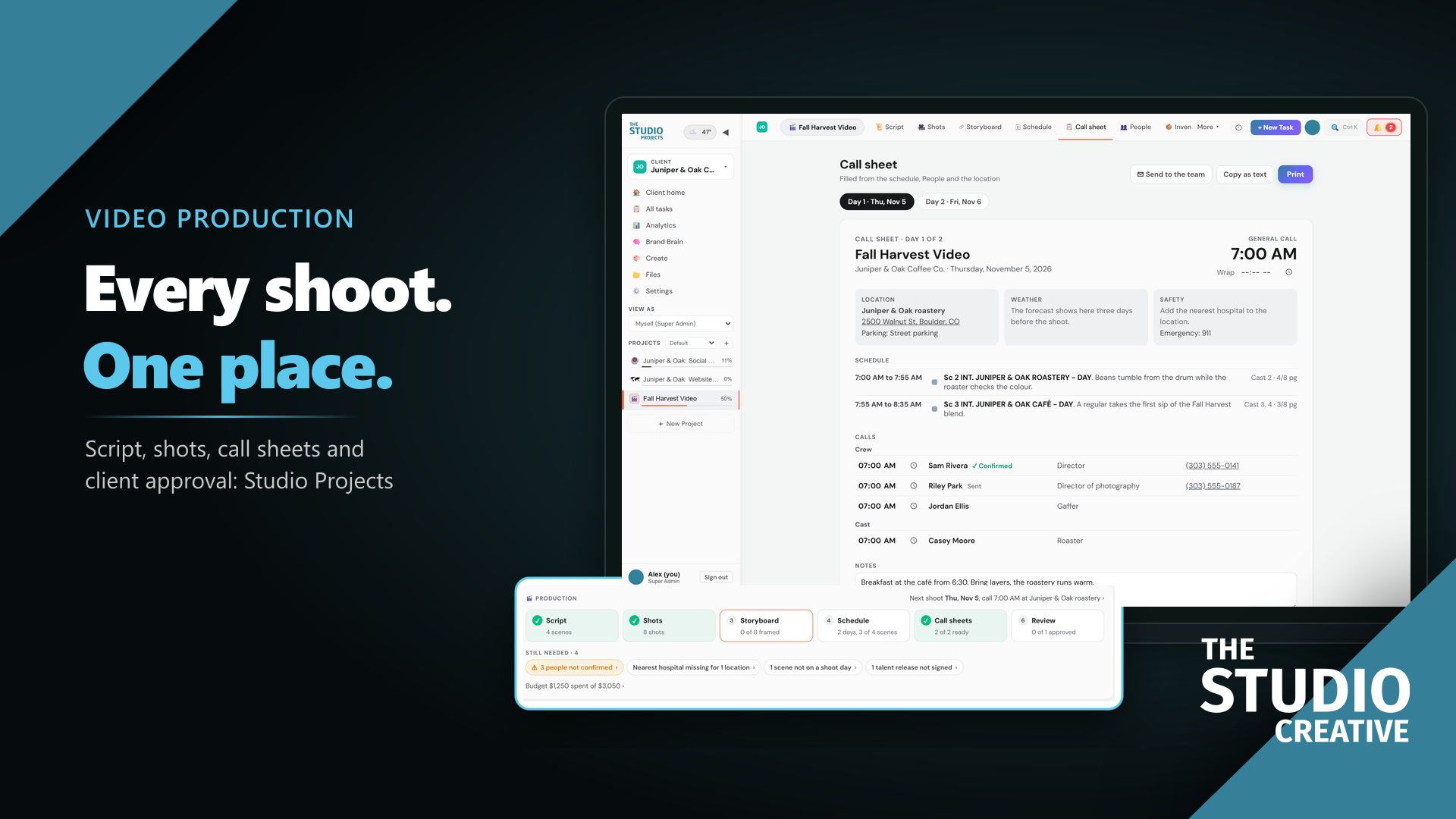
Studio Projects is video production management software that keeps a whole shoot in one project: the script, shot list, schedule, call sheets, cast and crew, budget and client review. It shows you what is still missing before the shoot day, fills in the call sheet for you, and lets your client sign off on the cut from a link. We built it to run our own productions, and you can try it in your browser right now with no account.
Video Production Software That Keeps Every Shoot on Track
In this article11 sections
- Catch the problem before the shoot day
- Every part of the shoot, one click apart
- Shot lists that plan a realistic day
- Call sheets your crew actually confirm
- Know who is booked, and when
- See your margin while you can still protect it
- Feedback pinned to the second
- What changes for your studio
- From the first inquiry to the final cut
- Two ways to see it
- Questions people ask
At a glance4 key points
- Problems show up days early. The project home lists every gap, from an unsigned release to a scene with no shoot day, and links to the fix.
- One project, every tab. Script, shots, storyboard, schedule, call sheet, people, review and budget.
- Crews confirm, clients sign off. Call sheets go out with a Confirm button, and clients approve the cut from a link.
- Your margin stays visible. Spend sits against the estimate while there is still time to act.
Catch the problem before the shoot day
Open a project and the first thing you see is what is still missing, each item a link to the screen that fixes it. Here a scene has no shoot day: one click opens the schedule, one pick puts it on Day 1, and the checklist clears. Or press Plan days for me and it groups every unscheduled scene into shoot days by location.
Every part of the shoot, one click apart
The script, shot list, schedule, call sheet and people are tabs of the same project. Nobody digs through four files in four places to answer one question.
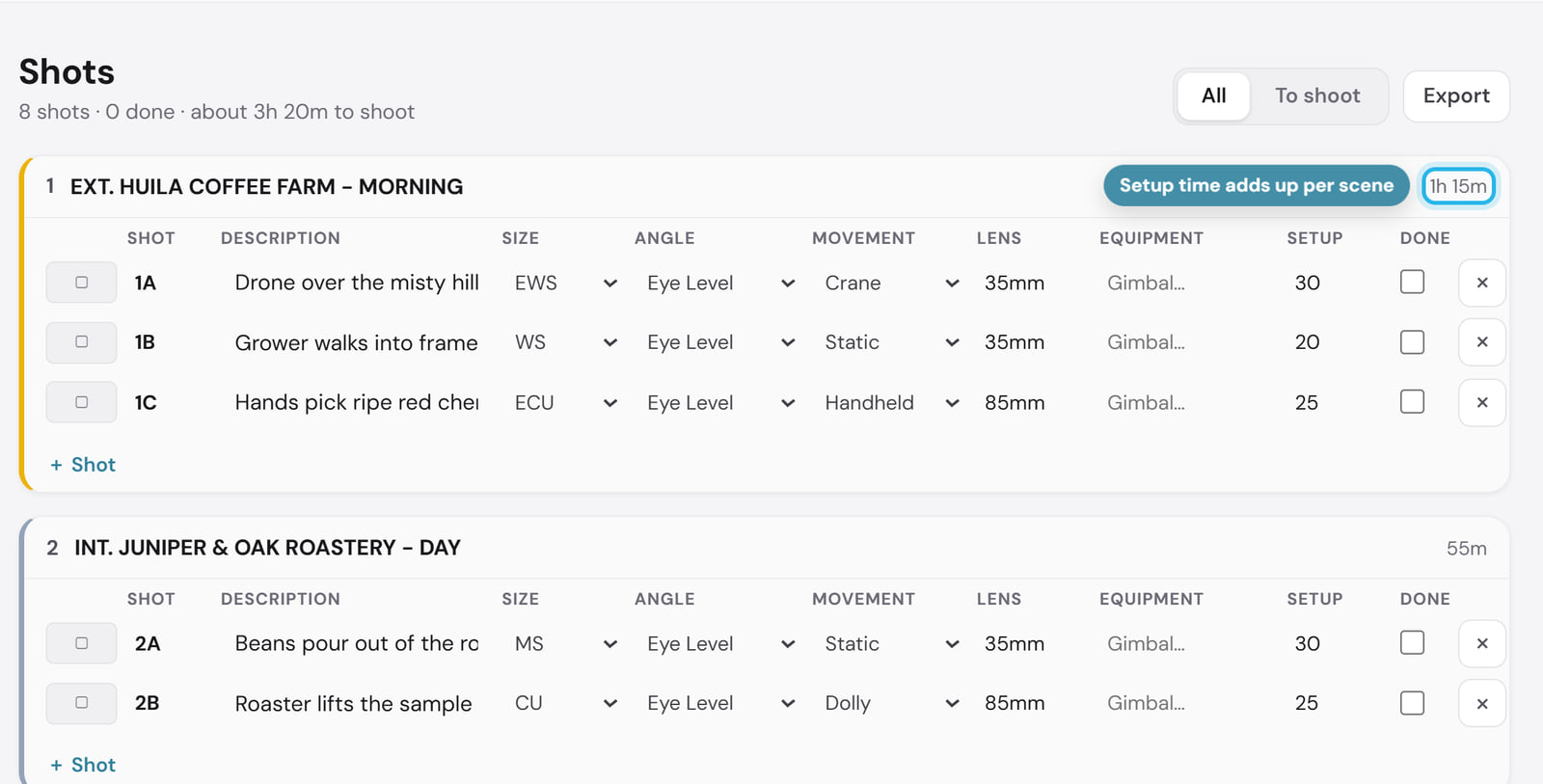
Shot lists that plan a realistic day
Every shot carries its size, angle, movement, lens and setup minutes, and the minutes add up per scene, so the day is planned in real time. Export it as a spreadsheet for the crew.
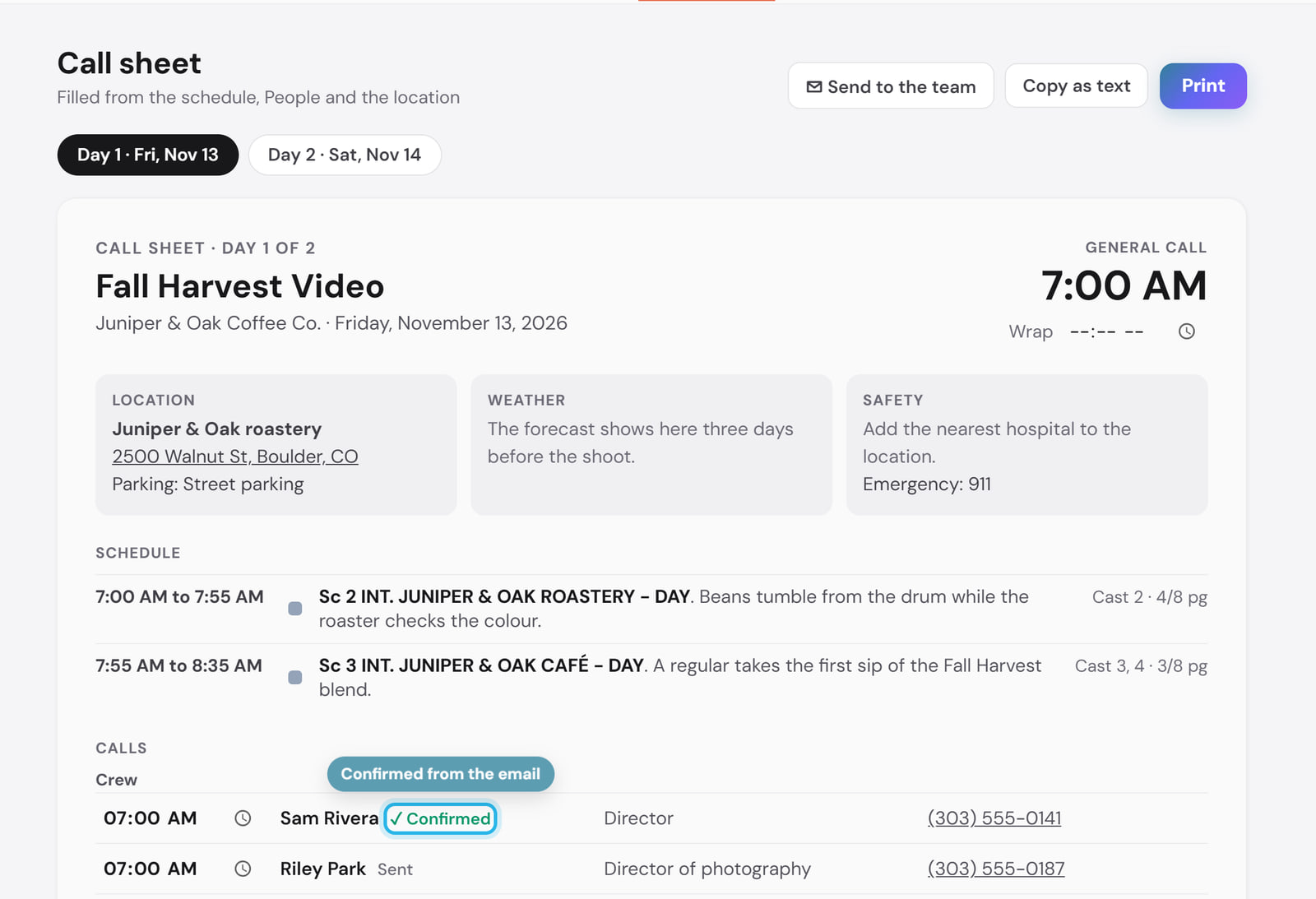
Call sheets your crew actually confirm
The call sheet fills itself in from the schedule, the people and the location, then goes out by email with a Confirm button. The night before, you know who has read it.
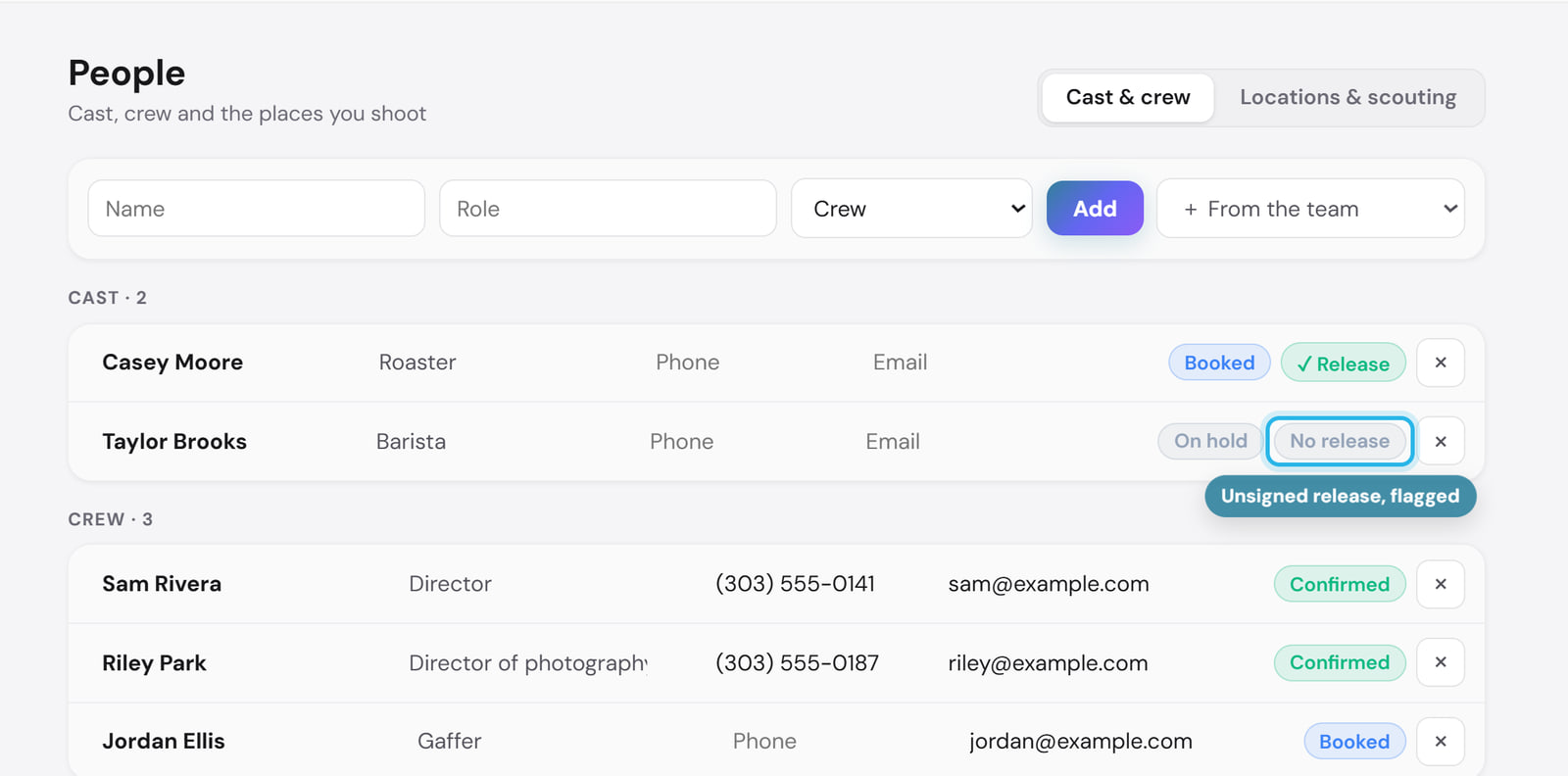
Know who is booked, and when
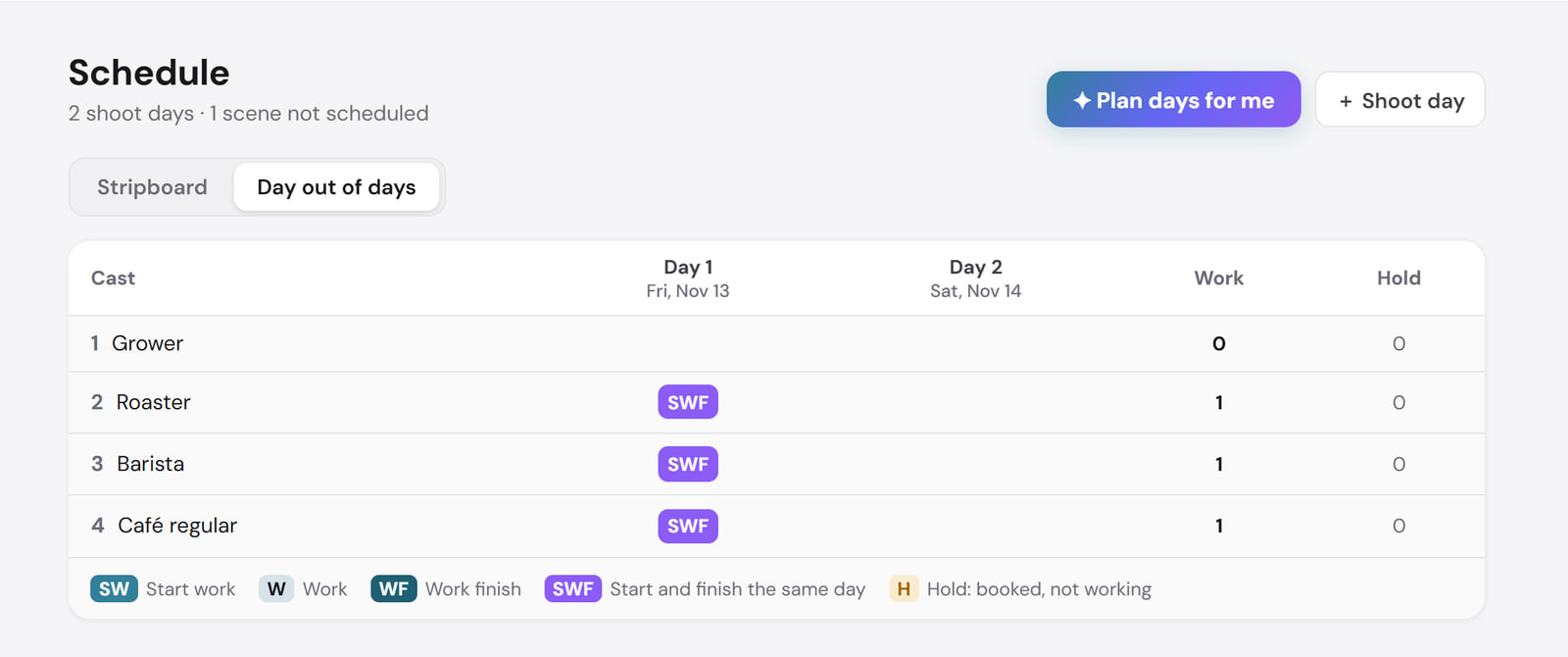
Every performer shows booked or on hold and whether their release is signed, and every crew member whether they have confirmed. The Day out of days grid then shows which days each performer works, so you book talent only for the days you need.
See your margin while you can still protect it
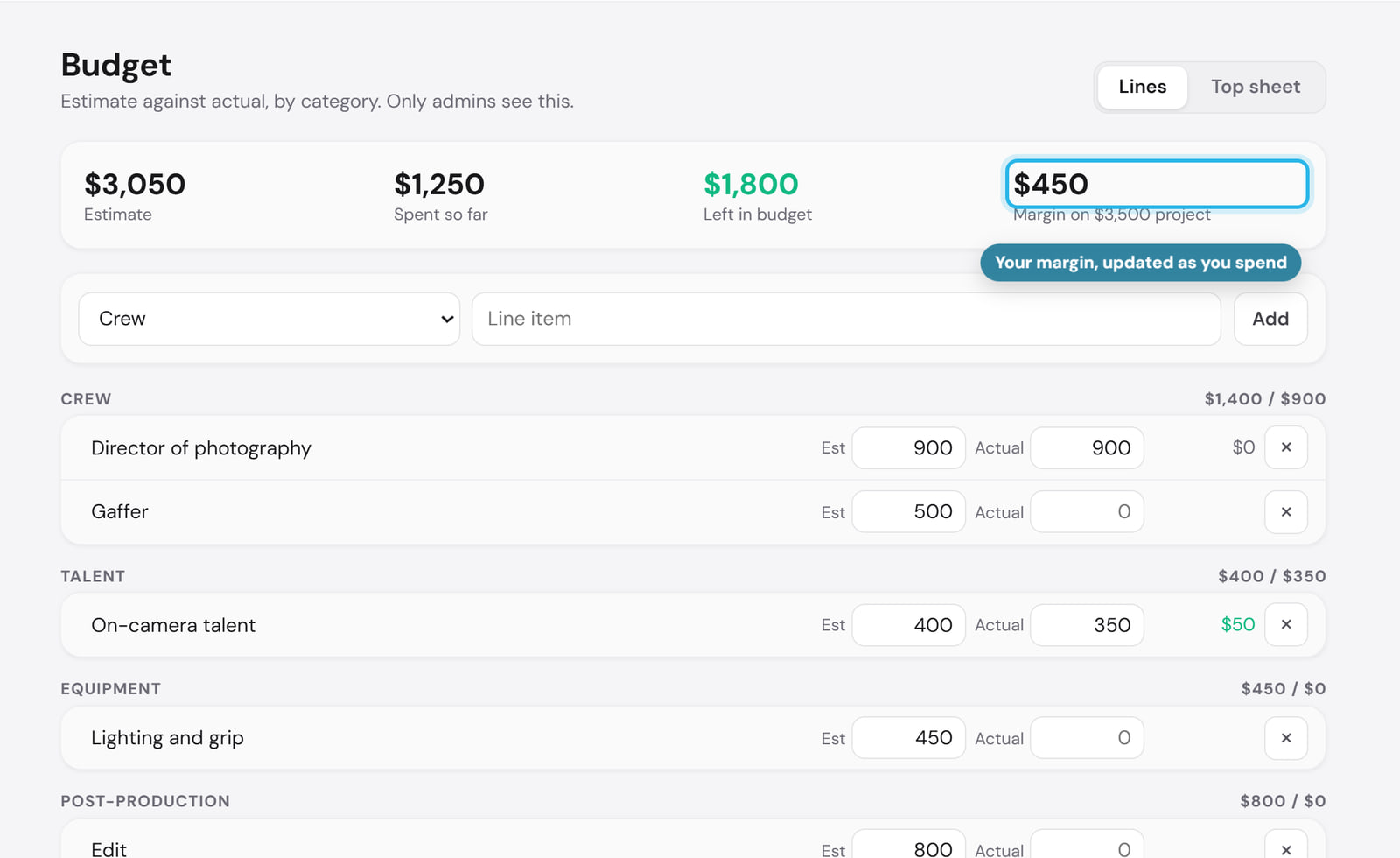
Every budget line sits against its estimate, by category, with what is left and your margin at the top. Only admins see it.
Feedback pinned to the second
Comments sit on the exact moment they mean, beside a transcript you can search. Click a note and the video jumps to it. Then move the cut along, from editing to team review, client review, approved and delivered. Your client reviews from a link with no login and approves with one button.
What changes for your studio
- Shoot days run to plan. Unsigned releases, unconfirmed crew and unscheduled scenes show up days ahead, not as a phone call on the morning of the shoot.
- Less time hunting. Everything about a job is one project, not four files.
- Everyone arrives knowing the plan. Cast and crew confirm the same call sheet.
- Faster sign-off. Clients comment on the frame and approve from a link.
- Jobs stay profitable. You see spend against the estimate while there is time to act on it.
We plan our own productions in it, including the comedy series we produce with Hot Cheap Comedy, which has picked up 39 festival laurels and 7 wins. Made in collaboration with Hot Cheap Comedy, who write the scripts. The Studio Creative handles everything else: production, directing, cinematography, editing, and post.
From the first inquiry to the final cut
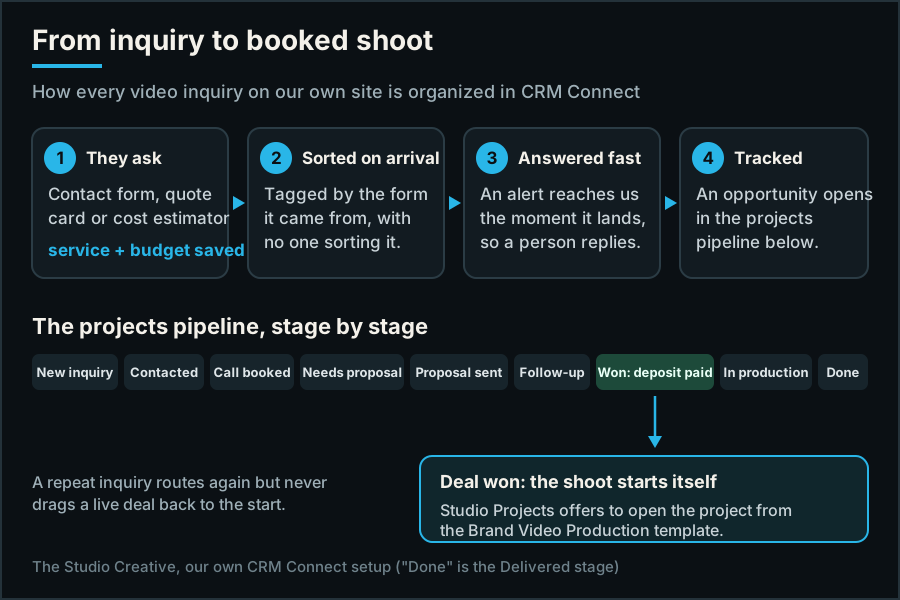
Studio Projects runs the production. The inquiry side runs in a CRM: on our own site every video inquiry lands in CRM Connect tagged and alerted, and moves through a pipeline to won. When a quote is accepted, a bid is signed or a deal is marked won, Studio Projects offers to start the project from a template, so booking a shoot and planning it are one handoff. We set up CRM Connect for clients the same way.
Two ways to see it
Try it yourself
Open the practice studio in your browser: a made-up coffee brand, a sample shoot and a guided tour. No account needed.
Try the demoGet a guided demo
We walk you through one shoot on a short video call, from the won deal to the client's approval, and answer your questions.
Book a guided demoStudio Projects is open by invitation while we onboard our first members. Plans are $29, $79 and $199 a month, with two months free when paid yearly. If social content is part of your work too, it fills a month of on-brand posts in one click: see that side of the app.
Questions people ask
What is video production management software?
Software that keeps a production's planning in one place: the script, shot list, schedule, call sheets, cast and crew, budget and client review, so everyone works from the same plan. Studio Projects is the one we built and run our own shoots in.
Can I try Studio Projects before I join?
Yes. The demo on the Studio Projects page opens a practice studio with a made-up coffee brand and a guided tour, with no account. Or book a guided demo and we walk you through it on a call.
How much does Studio Projects cost?
Plans are $29, $79 and $199 a month, with two months free when paid yearly. Access is by invitation while we onboard our first members.
Do clients need an account to review a video?
No. They get a review link, comment on the exact moment or draw on the frame, and press Approve video when it is right.
Does it work with a CRM?
Yes. When a deal is marked won in CRM Connect, the CRM we run for ourselves and our clients, Studio Projects offers to start the project from a template.
Was this useful?
video production project managementvideo production management softwarevideo production softwarehow to organize a video shootcall sheet softwareshot list softwareproduction schedulingday out of daysclient video reviewStudio Projects demoStudio ProjectsCRM Connect